If you’re running a shop floor with a horizontal machining center (HMC) — and let’s be real, most of us who work with these bad boys know they’re way different from vertical mills — you’ve probably dealt with a few head-scratchers. I’m not just some random guy spouting off; I’ve been a part of a company that supplies these HMCs for over a decade, and I’ve seen more avoidable mistakes than I can count. A lot of these errors aren’t because programmers are new to CNC — they’re tiny, fixable oversights that mess up part quality, burn out machine parts, or just make the whole process take twice as long. Today, let’s break down the most common ones I see, why they happen, and how to fix ’em. Horizontal Machining Center
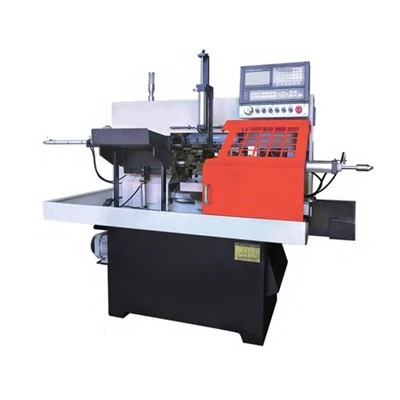
First up, one of the biggies: mismatched work offsets, specifically for the rotary axis. HMCs live for their rotary tables, right? You gotta flip the part around, and if your G54 (or G55, whatever offset you use) for the X, Y, Z axes isn’t synced with the A or B axis rotation, that’s a disaster. A customer last year came to us because their first 100 parts were all off by 2mm on the flip. Turned out their programmer set the rotary axis offset in the machine’s parameters, but forgot to update the work offset in the CAM post-processor. The post was spitting out G-code that referenced the old rotary position, and the machine was trying to square a part that was rotated 3 degrees off. That’s not a machine flaw — that’s a “double-check every sync point” mistake. Pro tip: After you input a new work offset, jog the rotary table 180 degrees and measure a test edge before locking in the whole program.
Next, ignoring the HMC’s tool change clearance requirements. V mills usually have a lot of extra space around the spindle, but HMCs? They’ve got a tool changer that’s tucked tight, and if your programmed tool change position is too low or too close to the rotary table, you’re gonna crash. I saw a rookie programmer set the tool change Z height to what worked on their old vertical, and their HMC slammed the new drill bit into the vice’s top jaw. The tool changer arm bent, and that cost the shop 3 days of downtime and a $1,200 tool changer repair. Here’s the thing: HMCs have a specific “safe Z” for tool changes that’s not the same as a vertical. Always pull up your machine’s manual — yeah, I know, manuals are boring — and confirm the tool change position before you run the program. Better yet, run a dry run with the spindle off, no tools loaded, first. It takes 5 minutes, and it saves you from replacing a spindle or a rotary table.
Then there’s the mistake of not accounting for part fixture overhang. HMCs reach out farther than vertical mills, especially when the rotary table is rotated. Programmers often set the tool path to the part’s edge, but they forget that the vice or fixture sticking out from the part will collide when the spindle extends. Last month, a customer sent a program over that looked great on their CAM software, but when we ran it on our demo HMC, the end mill hit the vice’s side. Why? The CAM software was set to ignore fixture geometry by default, so the programmer never checked. For HMCs, your CAM setup needs to have the fixture modeled in too — not just the part. And if you’re using custom workholding, add a safety buffer of 5mm around all fixture edges. That tiny buffer keeps you from crashing, and trust me, it’s way cheaper than fixing a broken fixture.
Another super common one: improper feed rate tuning for heavy cuts on HMCs. HMCs are built for heavy material removal, but a lot of programmers just take the feed rate they used on a vertical and plug it in, no adjustments. We had a customer machining a thick aluminum block, set the feed rate at 0.2mm per tooth like they did on their VMC, and their spindle pulled so hard it tripped the machine’s overload sensor. The spindle cooled down, they reset it, and ran the same feed — same problem. HMCs have stiffer spindles and better chip evacuation, but they don’t handle unadjusted feed rates for roughing. Here’s a quick rule of thumb: for roughing on HMCs, bump the feed rate by 15-20% compared to a vertical, but slow it down if you’re cutting hard material like titanium or stainless. And always start with a test cut at 50% your planned feed rate, then tweak it up. No need to risk breaking a $500 end mill because you skipped a test.
Don’t even get me started on chip evacuation oversights. HMCs move chips around with coolant and internal augers, but programmers often don’t factor in how much chip volume a heavy cut will produce. They set the spindle speed high to finish fast, but the chips pile up in the rotary table’s grooves, get caught between the part and the vice, and scratch the part or wear out the table’s bearings. A shop we work with had a batch of steel parts come back with deep scratches on their inner surfaces — turned out their programmer didn’t specify M08 (coolant on) during roughing, so the chips were sticking to the part instead of being flushed away. For HMC programs, always make sure coolant is active for roughing and semi-finishing, and add a short M19 (spindle orientation) with a coolant blast every few tool paths to clear chips. It adds 2 seconds to the program, but it saves you from reworking a whole batch.
Oh, and mixing up absolute and incremental positioning for rotary axes. This is a sneaky one because a lot of G-code tutorials gloss over it. HMCs use G90 (absolute) and G91 (incremental), but the rotary axis’s interpretation is different than linear axes. For example, if you program G91 A180, that’s rotating the rotary table 180 degrees from its current position — which is what you want. But if you accidentally use G90 A180, that’s moving the rotary table to the absolute position of 180 degrees from the machine’s home, which might not line up with your part. A customer a couple weeks ago ran G90 instead of G91, and their rotary table slammed into the machine’s limit switch, causing $2,500 in damage. Easy fix: when programming rotary moves, add a comment in your G-code (like ; ROTARY FLIP: G91 A180) to remind you which mode you’re using, and always confirm the rotary position before running.
Wait, let’s not forget post-processor errors specific to HMCs. A lot of shops use generic CAM post-processors, and those don’t have all the HMC-specific codes, like automatic pallet change (M60) or rotary axis clamping (M50 or whatever your machine uses). I’ve seen programmers use a vertical mill post for their HMC, so when they ran the program, the spindle didn’t orient before tool change, or the pallet didn’t lock in place. That led to a part flying off the rotary table mid-cut. The post-processor is your bridge between CAM and your HMC — if it’s not set up for your exact machine model, you’re gonna mess up. If you’re not sure if your post is right, send a copy to your HMC supplier (that’s us) to check it out. We can tweak it for your machine’s specific codes, and it takes way less time than fixing a crash.
All these errors boil down to one thing: not treating HMCs differently from vertical mills. A lot of new CNC programmers cut their teeth on VMCs, so they carry over habits that work there but blow up on HMCs. The good news? All these mistakes are avoidable with a little extra checking, using the right tools, and leaning on your HMC supplier when you’re stuck.
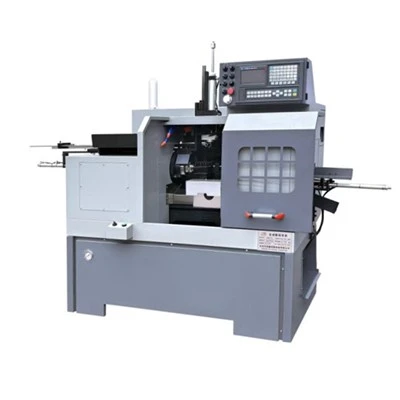
If you’re dealing with HMC issues, or you’re ready to upgrade to a machine that’s built to cut through your toughest parts without all the headaches, hit us up for a chat. We can walk you through setup tips, help you fix wonky G-code, or even demo a machine to see how it works. Don’t waste time fixing preventable mistakes — let’s get your shop running smoother.
Automatic Lathe References
- CNC Machining Magazine. (2022). Common Programming Errors for Horizontal Machining Centers: A Shop Floor Guide.
- Tooling & Production Association. (2021). Best Practices for HMC Workholding and Axis Calibration.
- Global Machine Builders Association. (2023). Preventive Maintenance Checks for Horizontal Machining Centers.
Taizhou Qiyang Trading Co., Ltd.
As one of the most professional horizontal machining center manufacturers and suppliers in China, we’re featured by quality products and good price. Please rest assured to buy bulk horizontal machining center for sale here and get quotation from our factory. Customized orders are welcome.
Address: Zhenhai Village, Binhai Town, Wenling City, Taizhou City, Zhejiang Province
E-mail: qycncmachine@outlook.com
WebSite: https://www.qycncmachine.com/
